One app for every TV in the house.
A closer look at everything CobraTV Pro does, from the guide and recordings to films, series and the free hub built in.
Just added
Open CobraTV Pro on your Android TV, Fire TV or Android phone and accept the update.
Know when the next episode lands
Press Notify me on a series and CobraTV keeps an eye on it: twice a day, or straight away when you press Check now. New episodes appear on the bell with Watch, Mark seen and Stop notifying, and get a NEW mark on the series page. Every linked TV shares the same list and the same bell, so clear it in one room and it clears in the others. You can add or remove shows from your account on this site too. Find it: Settings › Content & playlists › Notify me. Works with Xtream playlists, up to 50 shows.
The next episode, one press away
Stopped in the credits? The series page now offers the next episode instead of the last minute of the old one. While you watch, press UP and Next episode is right there in the player.
Record it every week
Record a show every day, on weekdays, at weekends or on the days you choose. Keep the newest 3, 7 or 14 episodes, or all of them, and see roughly how much space a week of it takes. Find it: Repeat… on any programme in the guide.
No more silent live channels
Live channels with more than one sound track now pick one your TV can play. Tracks are named by language and format, and your choice is remembered for each channel. Switch it any time: Audio & subtitles in the player.
Missing descriptions, filled in
Add your own free TMDB key and CobraTV fills in film and series descriptions your provider left blank. It never changes a title. Paste the key once on your account page and press Send to my TVs: no typing 32 characters with a remote. On the TV: Settings › Content & playlists › Film & series info (TMDB).
Choose whose watching you see
Continue Watching shows what your other TVs are part-way through, labelled by room. Now each TV chooses which rooms appear on it. Find it: Settings › Link another device › Show its watching here.
Your categories, your order
Pick a category up with the remote and carry it where you want it. ▲▼ moves it one place, ◀▶ jumps ten, and OK puts it down. Find it: Settings › Content & playlists › Live TV categories.
Notify me, Next episode, repeat recordings, the TMDB key and Show its watching here aren't in the Windows and Mac apps yet. The automatic sound-track choice is on Android. This product uses the TMDB API but is not endorsed or certified by TMDB. Join our Discord to hear about updates first.
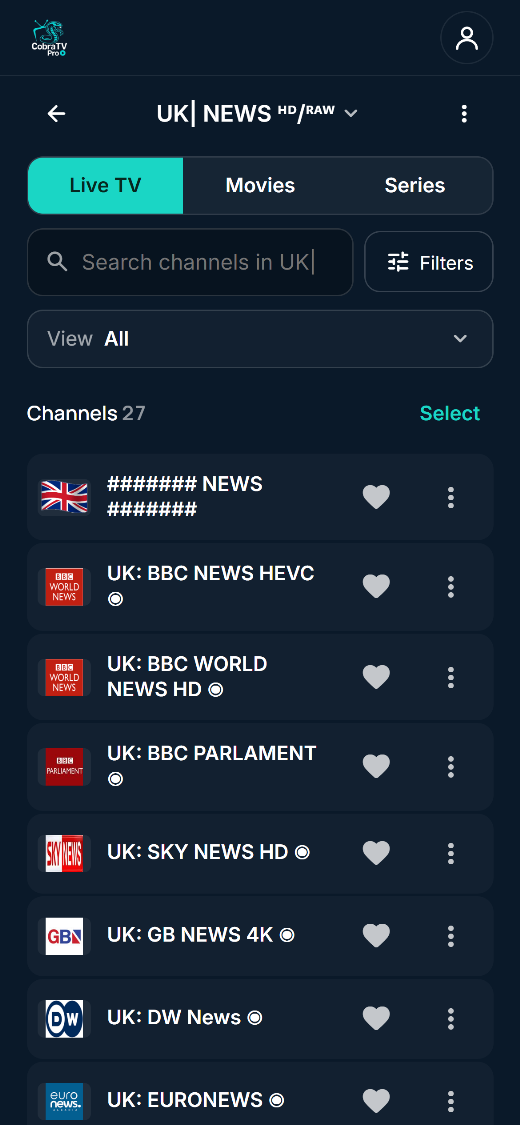
Your Live, Movies and Series — done properly
Add your own playlists and CobraTV Pro turns them into a tidy, browsable library that feels like a real smart-TV app.
The bits we're proudest of
Send it to the big screen
Watching on your Android phone or tablet? Cast it to a Chromecast, Google TV or smart TV on the same Wi-Fi. Films carry on from where you were. Pick another channel or film on the phone and the TV switches to it. Some live channels may not cast with picture or sound, and the app warns you first.
Two live channels, one screen
When there's more than one thing you can't miss, watch both. Multi-view puts two live channels side by side, from the same playlist or two different ones. Choose which one you hear, or change either channel. If your line only allows one connection, it tells you first. Not offered on low-memory TVs.
Every room, in step
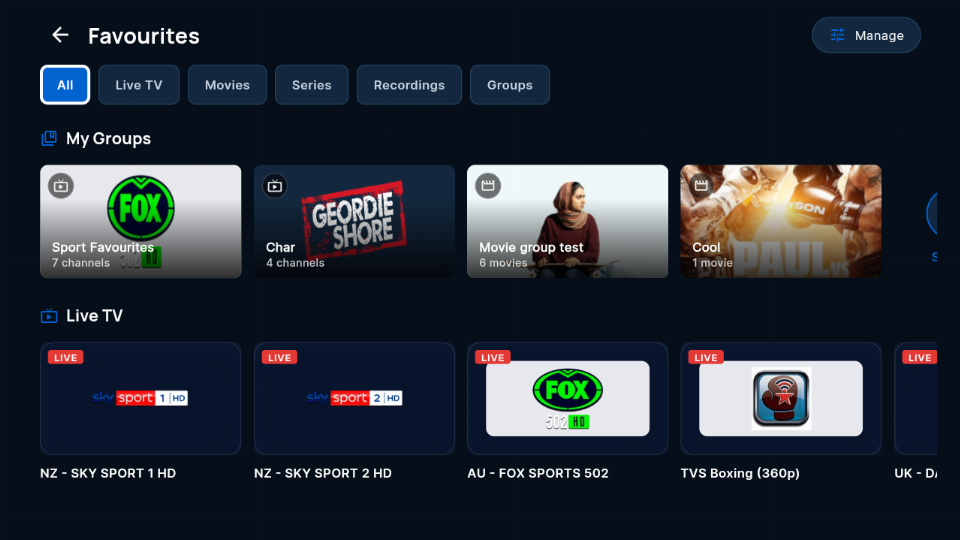
Pair your televisions once with a code and a PIN and they stop behaving like separate apps. Favourite a channel in the garage and it is already there in the lounge. Start a film in the bedroom and finish it in the office. Your favourite groups, My List, recently watched, and even the colour and name you gave a playlist follow you from room to room. Continue Watching labels each title with the room it came from, and shows you follow with Notify me are shared too. Unlinking puts a device back on its own.
See who's watching before you take the line
Most providers allow one connection at a time, so switching on a second television quietly knocks the first one off — usually mid-match, with no warning. CobraTV Pro shows you which room is already using a line, in that playlist's own colour, before you press play. It will not even open a preview on a line someone else is using. Take it anyway if you want to — at least now it is a decision rather than a surprise.
Record it now, or every week
Press Record while you watch, or book it from the guide up to 13 days ahead. Repeat… records a show every day, on weekdays, at weekends or on the days you choose. Recordings go to the TV's storage or a USB drive, with start-early and finish-late padding. On Android boxes that stay powered, scheduled recordings run with the TV off, and the app can test your TV for you. It records several channels at once when your lines allow, and keeps track of single-connection lines so a recording isn't cut short by someone in another room pressing play. Repeat recordings are on Android TV, Fire TV and phones for now.
Built to keep playing
Streams come and go, so the app plans for it. A frozen picture reloads quietly, and after a drop it keeps retrying for about five minutes, spaced out so your provider doesn't block you. If a TV can't play a film in hardware, it tries again in software. Lower-powered TVs hide 4K titles they can't handle and offer another version. When something does go wrong, the message says what happened in plain English.
Every screen in the house
Built for the remote on Android TV, Google TV and Fire TV, with focus that lands where you expect. On Android phones and tablets it switches to touch layouts and swipe gestures. On Windows and Mac it works with a mouse and keyboard. The Windows and Mac apps are a version behind, so some new features reach them later.
Share a film, a show or a channel
Add friends by their share code and send them a title or a channel with a note. It opens on their own playlist. Changed your mind? Recall removes it from their TV. Adult content can't be shared.
Included, no playlist needed
Built in and free to use, and it keeps working even if your trial or licence ends. It isn't a channel subscription and doesn't include paid TV.
Set up your TV from your phone
Sign in at cobratvnz.com/account by scanning the QR code on your TV. Hide what you never watch, pick favourites, build groups, put channels in your order, follow shows and add playlists. Channel changes reach every TV on your account within about a minute.
Yours to set up, safe to use
Ready to try it?
Install CobraTV Pro, add your playlist, and the first 7 days are on us.
Questions? Join our Discord or ask us.